Design a page
Pages are the screens of a virtual app: an index list, a detail view, a form, a dashboard. The page designer composes them from typed page descriptors (type: 'index' | 'detail' | 'form' | 'dashboard' | 'custom') plus the schema you designed in the previous step.
Goal
By the end you will have added a new page to your virtual app, picked its type, attached a schema, dropped it into the main menu, and saved.
Prerequisites
- A virtual app with at least one schema (see Design a schema).
- A clear idea of what the page is for — list of all records, one record, form to add a record, summary dashboard.
Steps
-
Open the page designer for your app at
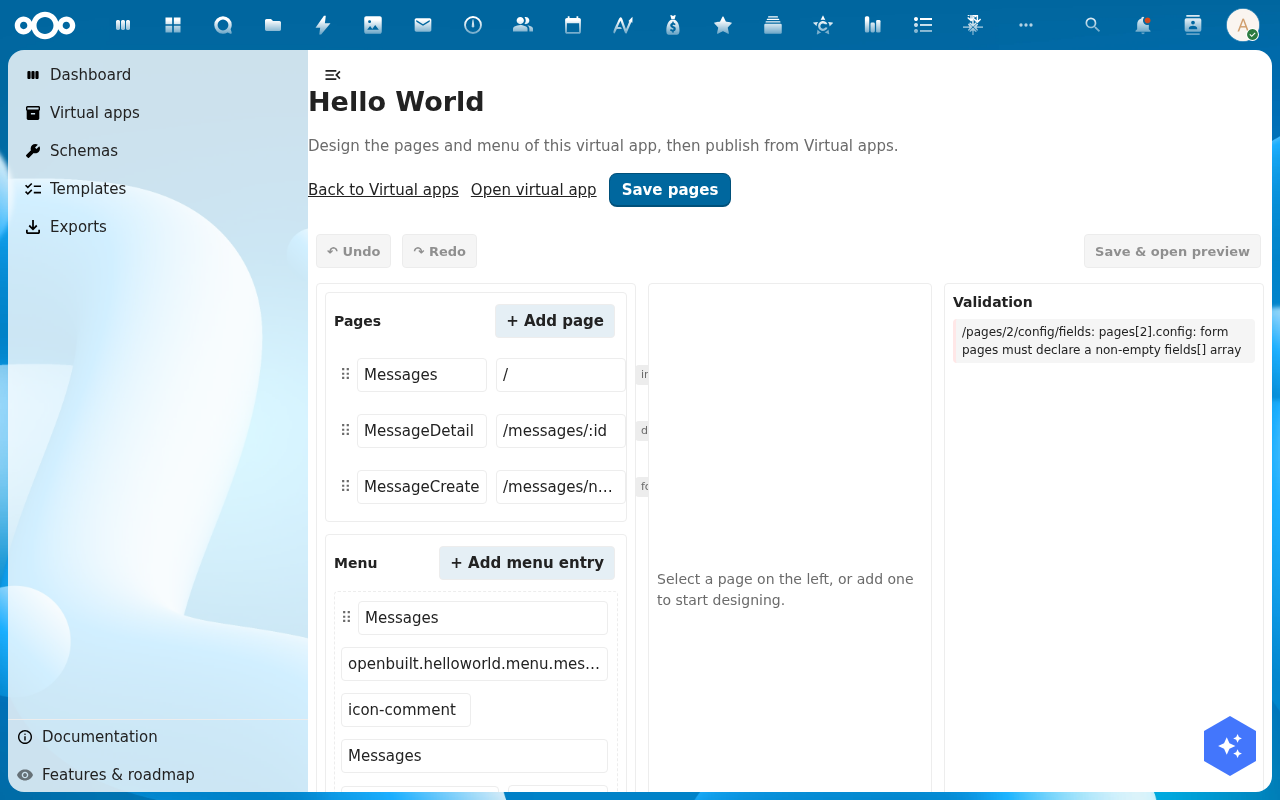
/apps/openbuilt/builder/\<slug\>/pages. The designer splits the screen into three panels: pages on the left, menu in the middle, the editor for the selected page on the right.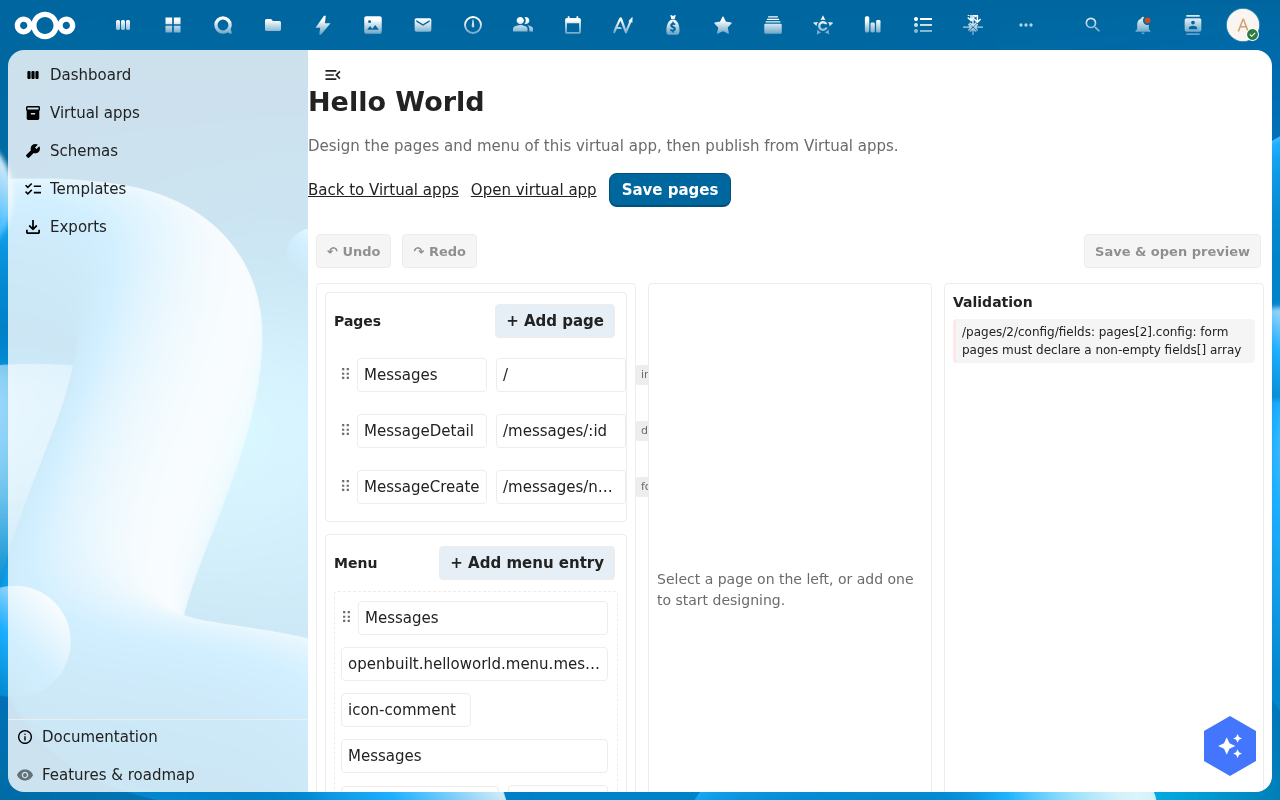
-
Click + Add page in the Pages panel. Fill in the page's Slug (for example
tasks), its Type (index, detail, form, dashboard, custom) and a Title that will show in the title bar.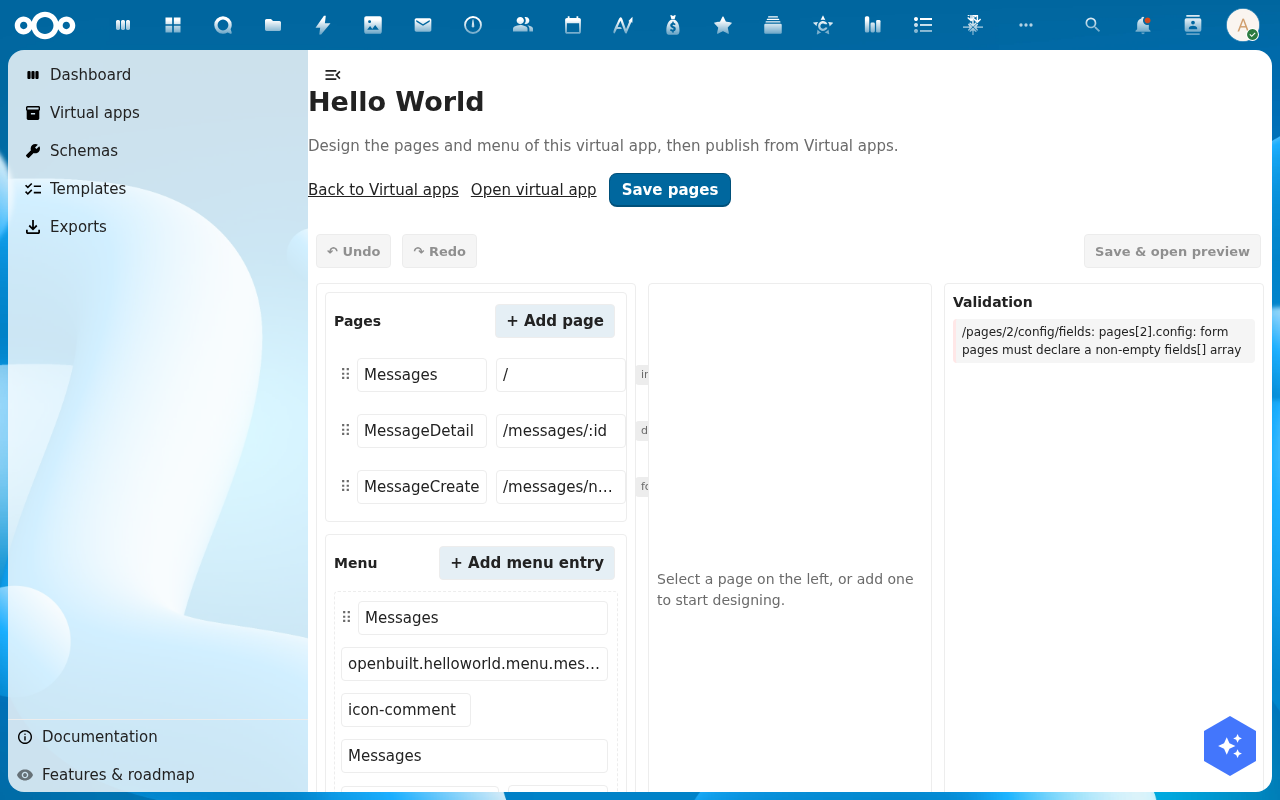
-
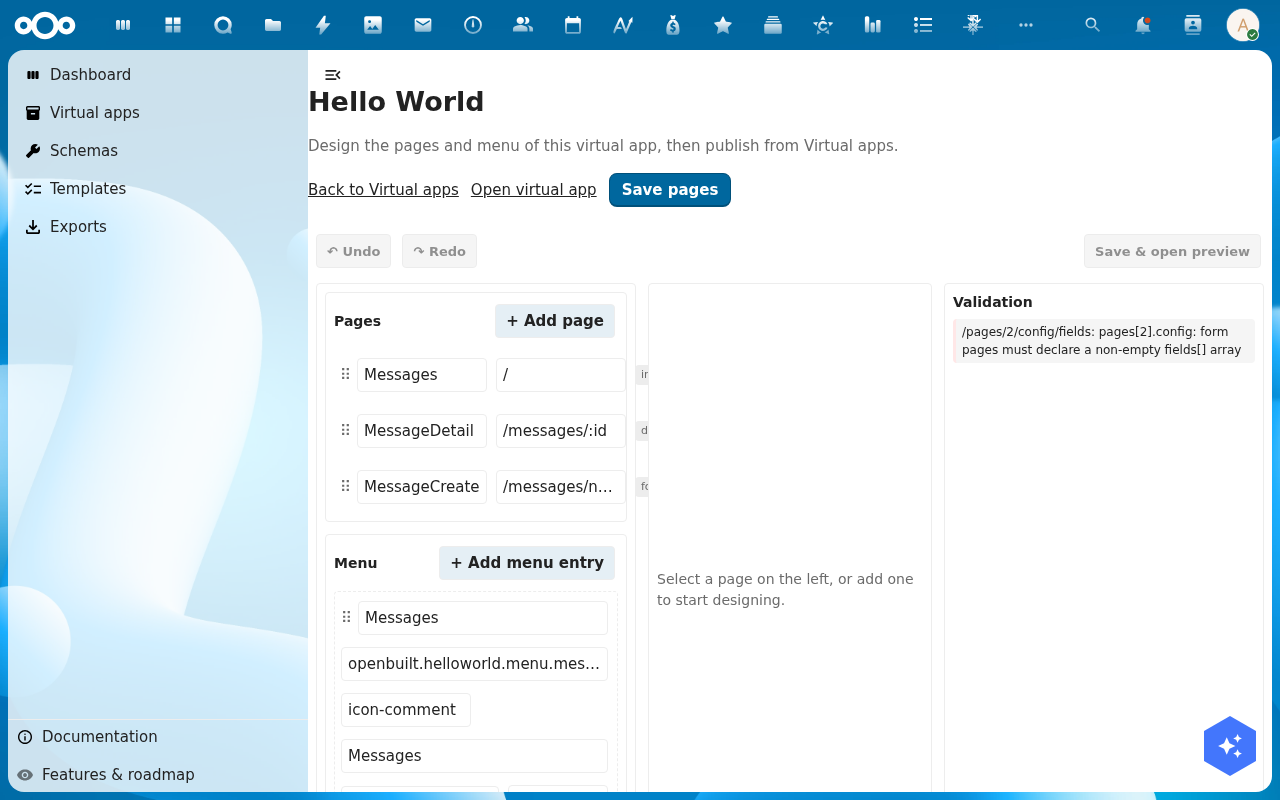
For an index page, pick the Register and Schema it lists, the View mode (cards or table) and the Columns to show. For a form page, pick the schema and (optionally) tick which fields are visible. The right-hand editor updates the preview live.
-
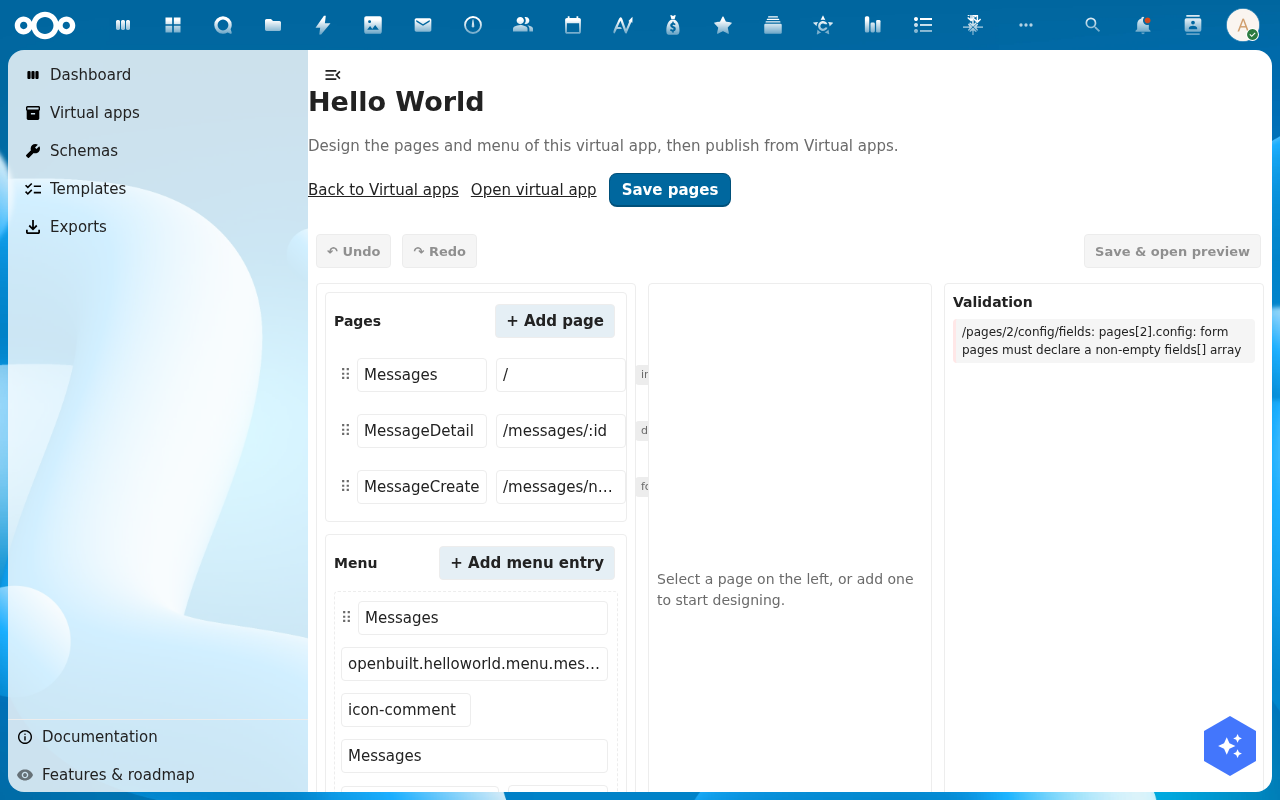
In the Menu panel, click + Add menu entry, pick the section (main, settings, user-settings, action), and link it to the page you just created. Drag-and-drop to reorder.
-
Click Save pages. The new page lands in the app's manifest; switch to Save & open preview to see the page render inside the live virtual-app shell.
Verification
The page is good when: it appears under Pages in the left panel with no red validation badge, the right-hand preview renders without error, and clicking through to the live virtual-app shell shows the page on the menu and lists/forms the right data.
Common issues
| Symptom | Fix |
|---|---|
| Validation panel says "form pages must declare a non-empty fields[] array" | A form-type page was saved without picking any fields — open the page, tick at least one field, save. |
| The page is not on the menu | The menu entry was saved but its link points at a stale page — re-link it from the Menu panel. |
| Preview shows an empty list | The schema has no records yet — add a few via the form page you just designed, or use Add Item on the index page. |
Reference
- Design a schema — the data the page reads from.
- Connect external data — make the page list rows from an external source.
- Preview the running app — see the page in the live shell.